

Product #2
Cyla – a lightweight localization app for Shopify stores
Product type: Shopify app (widget→ real usage with one merchant → under review by Shopify for official listing)
Cyla started as a widget I initially created for one of my clients. While building an online store for a Moroccan hair care brand, I experienced firsthand some constraints many e-commerce businesses face and couldn't find an app that met my client's requirements, so I created it.

📊 Product Management Case Study
1. Context
I took a freelance project where I worked with a Moroccan hair care brand to build their e-commerce website on Shopify.
My client wanted to localize their online store for both local and international buyers. For this, the requirements specified by my client included the following features (presented in the picture on the side), among others...
My initial plan was to simply use one of the many existing Shopify apps that handle the language & currency part. But as I advanced in the project, I discovered the constraints I had to deal with and what they meant...

- Shopify Payments isn’t accessible from Morocco: this means we can't enable more than one currency in Shopify Markets. Most currency-conversion apps need currencies to be enabled in Shopify Markets first, which makes them useless for my client's store.
- The conversion, translation, and selection parts are separated in most apps: you need to install one app for translation, another app for the selector, and maybe another app for currencies. This can lead to UX/UI issues instead of a unified localized experience, especially when the apps don't work well together.
- No automatic translation is allowed (to maintain quality, website copy was provided by my client in the 3 languages): many translation apps force automatic translation or cause conflicts with manual translations, which impacts the copy quality and does not align with my client's requirements. Any app used must preserve existing manual translations without overriding them.
- The budget is limited, and additional costs aren’t included in it: we can only use free apps or free plans of paid apps to avoid any extra recurring costs, which limited our options.
I eventually managed to find one app that is relatively close to what we wanted, but we still faced 3 issues with it:
- Complex setup process: you need to join their loyalty program, install their Chrome extension, complete certain steps and wait for their approval before you can use the app
- Translation conflicts: its automatic translation overrides manual translation, especially with Arabic copy (even their support team couldn’t fix this)
- Plan limitations: just a few days before the launch, the free plan was downgraded from 3 languages/currencies to 2, and the paid plan became $15/month to unlock +20 languages and +100 currencies, which is out of budget and beyond what we need. This made us unable to use it.
After facing these limitations firsthand and trying multiple tools (BUCKS, Selecty, Gelacy, Currency Robo, BEST Currency Converter, etc.), I discovered that no single solution met all the requirements, so I decided to build a custom widget to solve this problem properly.
2. Problem definition
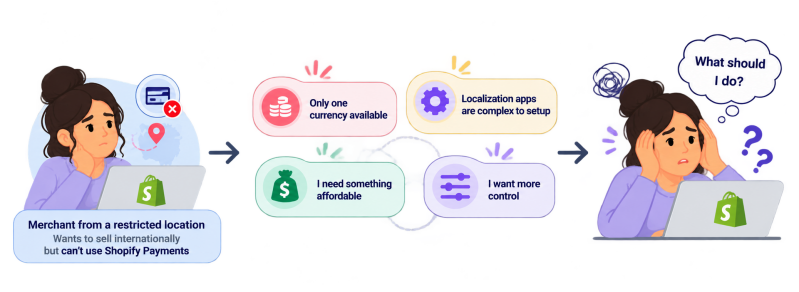
Shopify merchants who operate in emerging markets and want to sell beyond their local market struggle to create a localized shopping experience that adapts to their customers' languages, currencies, and locations.
These merchants can't use Shopify Payments, which prevents them from enabling multiple currencies. Only a very few apps can help localize their stores without Shopify Payments, but still, these few options are rarely able to combine all of the following needs:
- Simplicity: the ability to configure and manage localization with a simple setup process and minimal friction
- Unification: a unified country, language, and currency selector that works seamlessly and improves the user experience
- Control: the ability to define and manage localization rules (automatic vs. manual translation, setting a specific currency for a market, etc.)
- Affordability: transparent and stable plans that are affordable for merchants in emerging markets, especially at the start of their business
The existing solutions don't provide a unified, simple, and affordable way to combine multi-currency display, language selection, and country-based localization.
3. Market research
The problem was spotted and experienced firsthand while working with my client. But, the numbers show that this is a potential problem many Shopify merchants can face if they decide to sell internationally.
Shopify is available in +175 countries, but Shopify Payments is available in 40 countries only. This means there are +130 countries where merchants can't enable multi-currency display & conversion without a third-party app.
I've tried and tested plenty of apps myself, and found that most of them fail to provide merchants with a simple setup and enough control while also providing buyers with a unified, seamless selection experience, and currency conversion & display (even without Shopify Payments).
Only 3 Shopify apps were close to providing this. I tried them, went through their reviews, and evaluated them against the key needs identified during problem discovery.
The comparison combines functionality, availability, simplicity, plan information, and observations from my own testing + user reviews to identify potential gaps in existing solutions:

(some of these apps have made some changes to their features and plans this year. I tried to keep myself updated as much as possible)
Through this comparison, we can form a hypothesis to validate through an MVP.
User profile: Shopify merchants who want to sell internationally with a limited budget, with no access to Shopify Payments, and don't want to deal with complex setup, conflicting workflows, and sudden changes of plans.
4. MVP & Product decisions
I created the widget for my client and successfully solved their problem. The widget combines country, language, and currency selection & display in one interface, while preserving the merchant's desired translation workflow and enabling multi-currency display without Shopify Payments.
I decided to extend it into an app and distribute it so it can be used by other Shopify merchants. The app was created and tested and is now under review by Shopify to be approved and officially listed (October 2026).
- MVP: a simple dashboard where merchants can control the localization of their store once they install the app (choose languages and currencies, set market rules, customize the selector, etc.)
- MVP intent: reduce the time, effort, and money Shopify merchants -specifically our user profile- need to spend to localize their stores

KEY ASSUMPTIONS
- Merchants prefer to retain control over their translation options (automatic, manual, or a mix of both)
- Merchants prefer a focused, lightweight, and affordable solution instead of a broader localization suite with complex setup
- Merchants prefer transparent, stable plans and setups with minimal friction
- Buyers prefer a unified, static selector over separate selectors and floating buttons
- Buyers prefer prices to be displayed in their preferred currency (even if the final checkout is processed with another currency)
PRODUCT DECISIONS
- Preserve the existing translation workflow of the store
- Remove any friction from the setup and onboarding process. Quick start; no requirements or preconditions.
- Make the plans affordable, transparent, and permanent. No sudden changes or downgrades.
- Make one unified dropdown header selector that can be customized by the merchant
- Enable the merchant to control market rules and currency conversion (live API conversion or fixed rates defined by the merchant)
CORE COMPONENTS
- No additional translation. Cyla preserves the store's existing translation, whether automatic or manual (generally through Translate & Adapt or another translation tool chosen by the merchant)
- One unified dropdown header selector, fully customizable by the merchant
- Automatic detection of the visitor's country, and display of the right language and currency, based on the market rules defined by merchants
- Display of the desired language and currency when the visitor chooses them through the selector
- Display of products' prices in the chosen currency through live currency conversion (enable the merchant to choose between relying on API conversion or defining fixed rates)

Tools used: Shopify, Visual Studio Code, HTML, CSS, JavaScript, Neon, Render, Translate & Adapt, and an API for currency conversion (Frankfurter)
Constraints: without Shopify Payments, the final checkout will always be processed in the store's default currency. This is a technical constraint that is forced by Shopify and can't be avoided.
5. Results & Next steps
The app is being reviewed for final approval and listing on Shopify. After official listing, here are the areas to observe and test:
-
Demand: get feedback and validate the demand with different Shopify merchants facing localization challenges (features, plans, etc.)
-
Improve reliability: test functionality and features within different themes and store configurations
-
Measure usability: evaluate setup completion, configuration time, and the reliability of localization rules